
How to Register for BPJS Kesehatan Online, Step by Step
Before you register BPJS Kesehatan online, check the requirements. Here are the documents you need and the 17 steps to sign up on the official website.

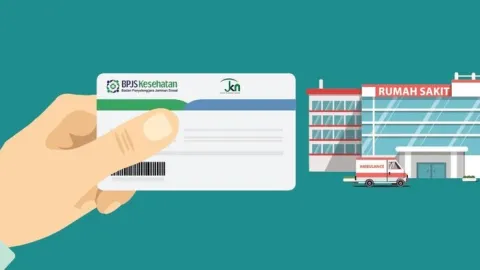
One of the government's successful health programs is BPJS Kesehatan. The Health Social Security Agency, established on January 1, 2014, runs a program that is mandatory for all Indonesians. Before the name BPJS Kesehatan became well known, the earlier name for BPJS Kesehatan was Askes, short for Asuransi Kesehatan (health insurance).
Registering as a BPJS Kesehatan participant is very easy today. Besides going to the nearest BPJS Kesehatan branch office, you can also register online. Still confused? Here are the steps to register for BPJS online. Before you sign up as a BPJS Kesehatan participant, though, you need to know the requirements first.
Requirements to Register for BPJS Online
Before you register for BPJS Kesehatan online, it is important to know what the BPJS Kesehatan administrator requires. The requirements to register for BPJS online are as follows.
- A valid identity card (KTP, driver's license or passport).
- The latest KK (family card) listing those who will be enrolled as BPJS Kesehatan participants.
- A marriage certificate, for those who are married.
- A photocopy of a savings account book, for the person who will pay the BPJS Kesehatan contributions.
- A 3x4 passport photo.
Prepare all of the documents above in digital form, because to register for BPJS online you only need to upload them.
Read also: 4 Benefits of Registering for BPJS Online
How to Register for BPJS Online
- Open the website www.bpjs-kesehatan.go.id (the official BPJS Kesehatan site).
- Click the "Layanan" (Services) menu, then click "Pendaftaran Peserta" (Participant Registration). A page with the terms and conditions for registering for BPJS online will appear.
- After you read everything on the page, tick the statement "Saya menerima dan menyetujui syarat dan ketentuan layanan pendaftaran BPJS Kesehatan" (I accept and agree to the terms and conditions of the BPJS Kesehatan registration service).
- Click the "Pendaftaran" (Registration) button.
- On the registration user manual page, you can choose the membership type. Then enter the KK number and the captcha code that appears. Click (Inquiry Kartu Keluarga, or Family Card Inquiry).
- Review the page showing the list of family members to be registered as BPJS Kesehatan participants. Click "Proses Selanjutnya" (Next Process).
- The next page shows a form to fill in with details including your mobile number and NPWP (taxpayer ID number), and to search for your village (kelurahan) name. Then press "Pencarian" (Search).
- Tick the box stating that the data you entered is correct and accurate.
- Choose a health facility (faskes) that fits your financial means.
- Upload a photo with a maximum size of 50 KB. Then click "Selanjutnya" (Next).
- Complete the requested data form on that page. The data includes the BPJS Kesehatan participant's name, the class chosen, the bank account number, your mobile number and a confirmation of your email address. Then fill in the captcha and click "Kirim Email" (Send Email).
- Confirm your email.
- Click the confirmation URL that arrives in your email.
- You will receive a virtual account number.
- Make the payment at the nearest bank or minimarket outlet.
- You can print your own BPJS Kesehatan e-ID, which arrives in your email notification.
- Remember to pay the BPJS Kesehatan contribution by the 10th of every month at the latest.
That is how to register for BPJS online. We hope the information above helps you sign up yourself and your family as BPJS Kesehatan participants. Good luck!